Ready-made machine communication library
Instead of writing protocols and data frames from scratch, your controls engineer imports a finished block package into the PLC project and starts sending process data right away.
Bringing exeTrace up looks nothing like a six-month IT project. We deliver a ready-made machine communication library, a clear user manual and a panel where your own technical team configures everything in the browser.
Start the Docker images — infrastructure is up within hours.
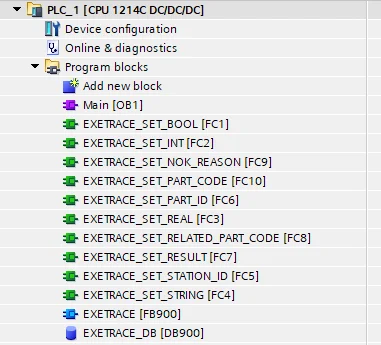
Your controls engineer imports ready blocks into TIA Portal — no outside integrators.
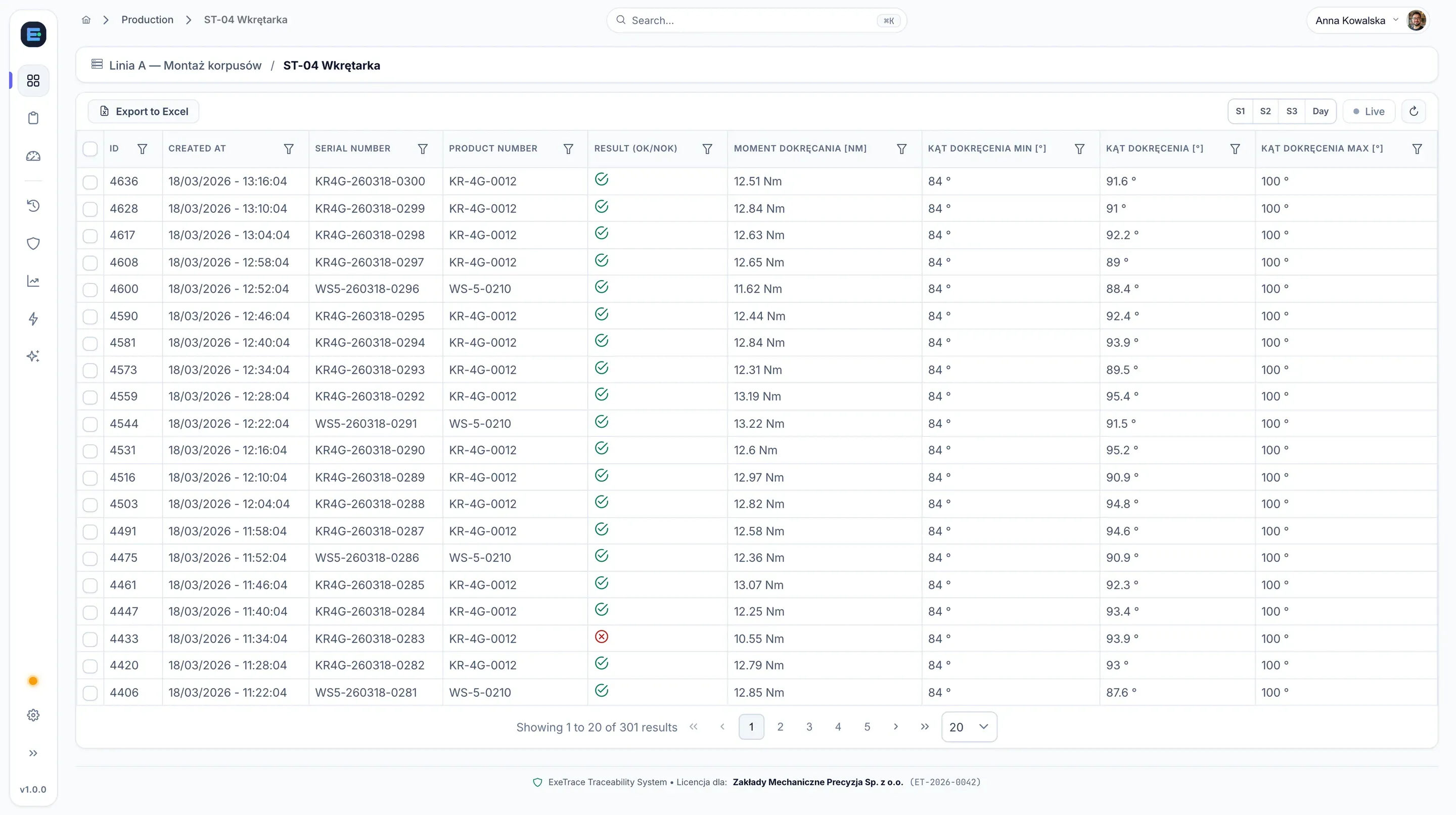
See unit passports, scrap Pareto and bottlenecks.
In most shop-floor systems, the biggest sink of time and nerves is writing PLC communication from scratch and hard-coding the process. In exeTrace, that work is already done.
Instead of writing protocols and data frames from scratch, your controls engineer imports a finished block package into the PLC project and starts sending process data right away.
Set up lines, stations, products and parameter limits in a clean web panel. Updating the configuration takes moments and requires no programming.
Maintenance and IT stay in full control from day one. When a new machine or parameter appears, your team adds it without waiting for a vendor.
We include clear step-by-step documentation — from starting the server and connecting the PLC to daily work in the dashboard.
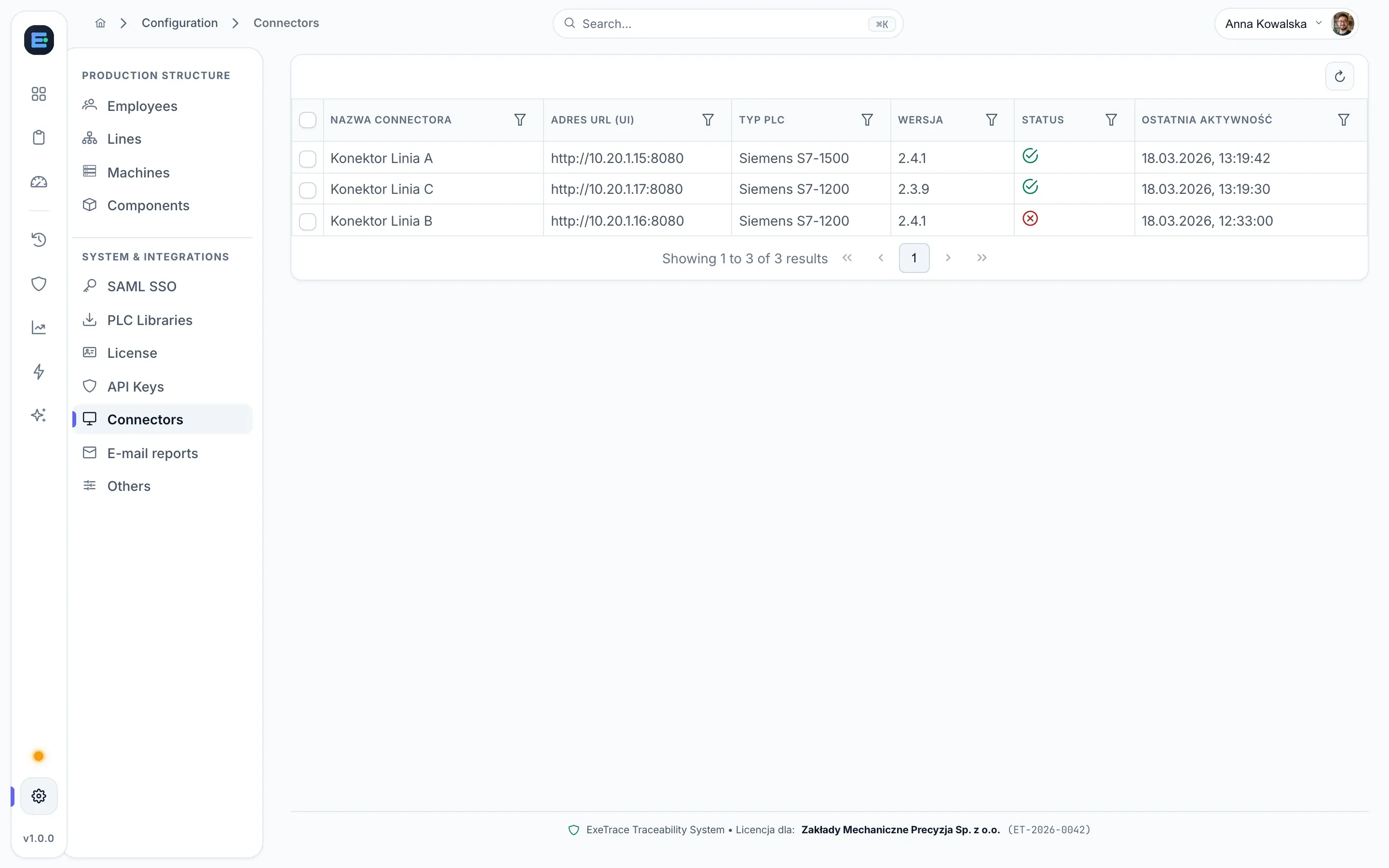
In the configuration view you add lines, machines, components and staff, download PLC libraries, check connector health and generate API keys — without touching config files.
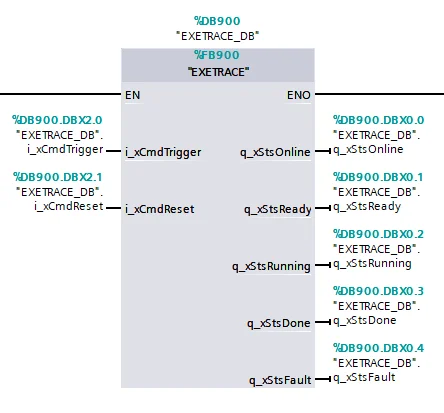
The library includes the full set of SET_* functions and the FB900 communication block. Pass the serial number, measured values and verdict — the block handles the rest.
We hand over the installation package, machine communication library and user manual. Your technical team brings the system up at its own pace with no extra rollout fees.
Prefer us to set up the environment, connect the PLCs and configure the process on-site or remotely? We can run the rollout — scope and pricing are quoted individually.
Every plant has its own specifics. If you need a dedicated view, custom report or an extension for a non-standard process, we will adapt exeTrace to your needs.
Data collected from your machines is never locked inside a single tool — pass it across your network with ease.
The system exposes a documented REST API secured with access keys, making integration with your ERP, MES or internal reporting tools straightforward and predictable.
Integration with AI models through the MCP (Model Context Protocol) interface is also possible, letting models query production data safely and surface insights faster.
Tell us briefly about your machines and process. We will show the system live and give you a straight answer on deployment time.